ACS and passages
ZKTeco C3 controllers, cards, zones, and journal — in the web admin on your Astra server.
Astra Linux SE 1.8 · 파일럿
Install EAS on your Astra server and test the full stack: ZKTeco C3 access, Hikvision/RTSP cameras, interactive floor plan, and sensors via Home Assistant. Astra-specific installer, 90-day trial — no credit card.
EAS admin on an Astra server (SE 1.8 lab) — the same web UI as on the pilot
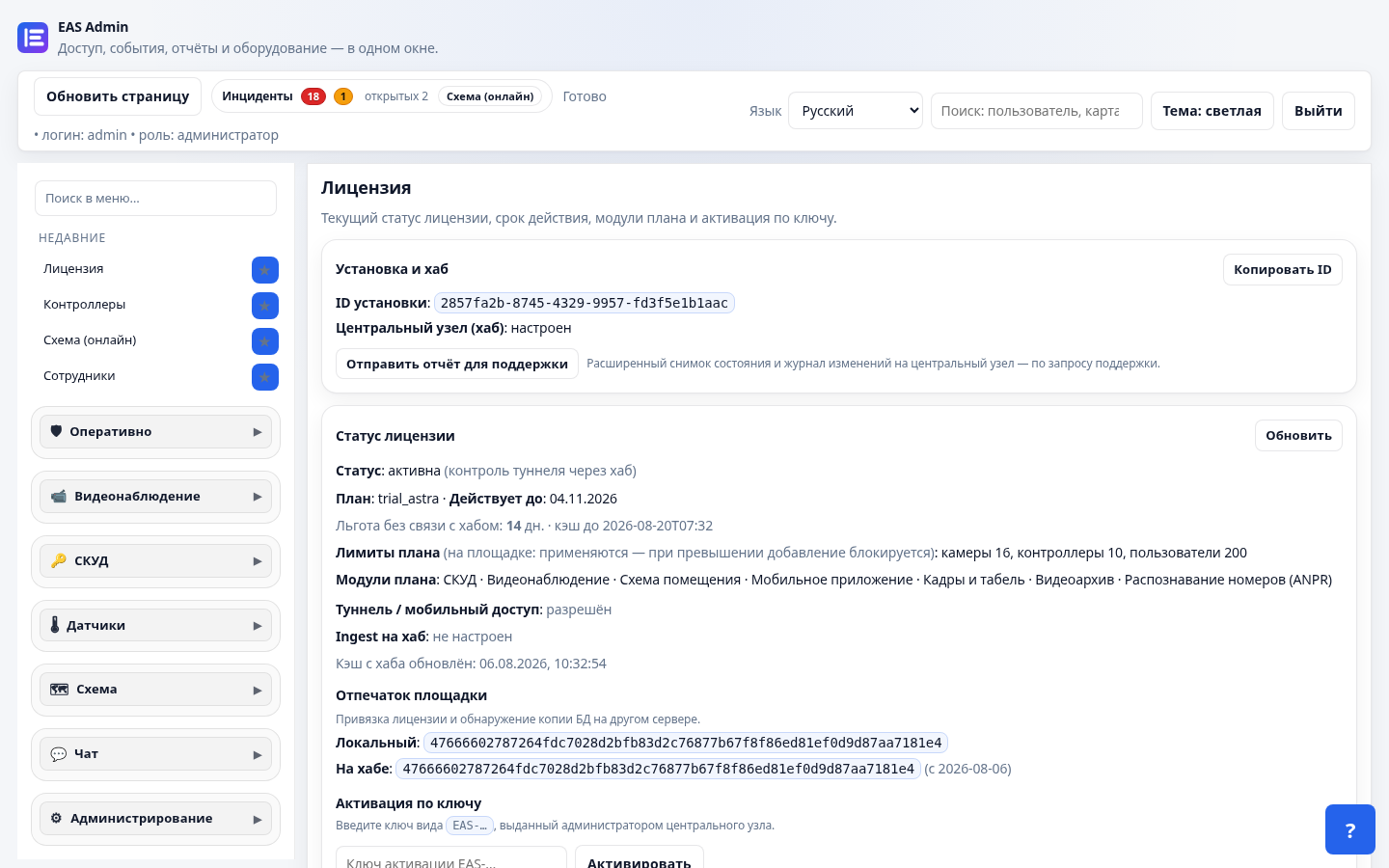
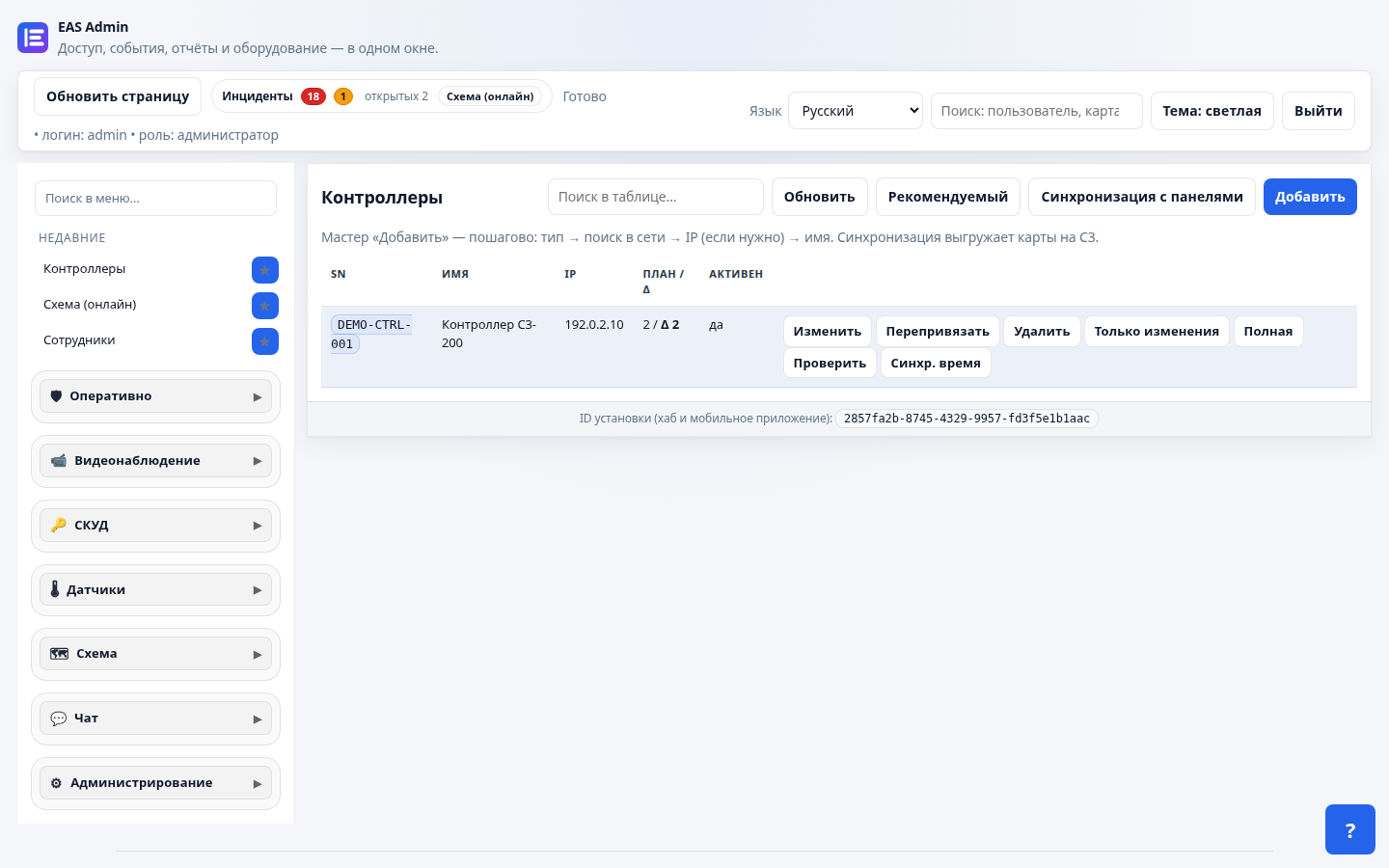
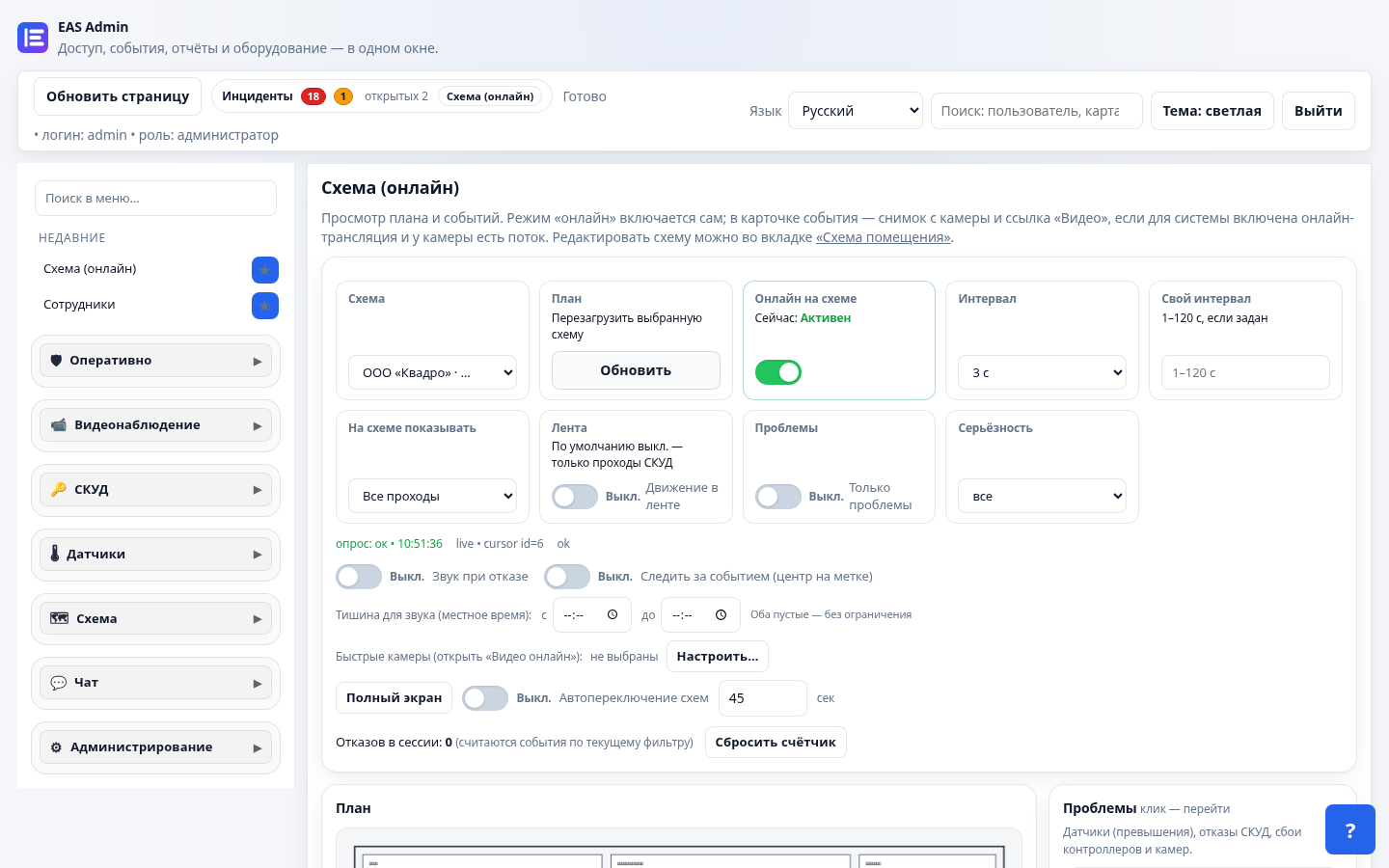
ZKTeco C3 controllers, cards, zones, and journal — in the web admin on your Astra server.
Hikvision/RTSP cameras and an interactive facility map without cloud lock-in for the site.
Full profile: Home Assistant and gateway — telemetry on the same map as passages.
On the download page choose the Astra (beta) track — a 3-month key that activates only on Astra.
Do not run the Ubuntu curl script on Astra. Unpack the EAS release and run the installer from deploy/astra:
curl -fsSL https://asceas.ru/eas-hub/install/install-eas-astra-from-hub.sh | sudo EAS_ACCEPT_EULA=1 bash -s -- --accept-eula
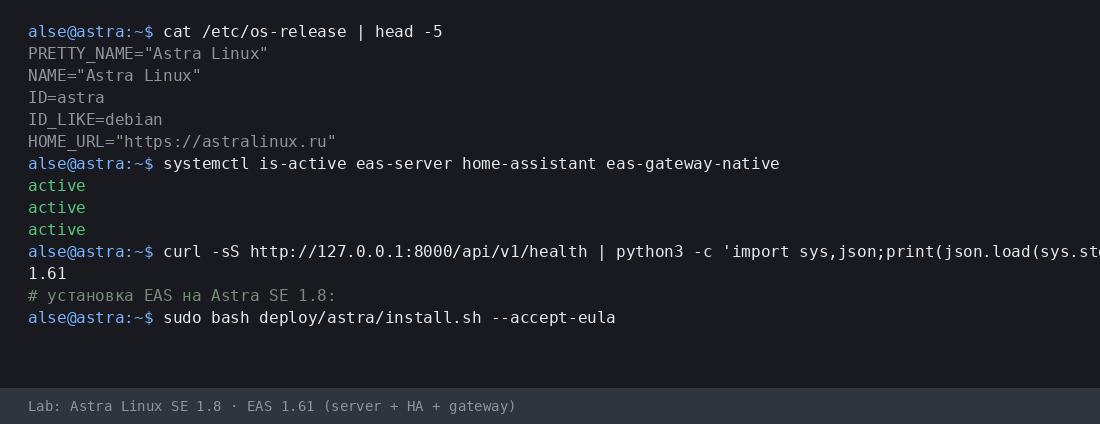
Astra SE 1.8 랩 세션 일부(hostname alse): ID=astra, eas-server / HA / gateway active, EAS 1.61.
The beta targets Astra Linux SE 1.8 x86-64. Other editions only by agreement with support.
Not yet: Astra SE 1.8 is an open beta for pilots. Please report issues to support. The separate GA one-command path is Ubuntu 22.04+.
Beta installs need more time for setup, hardware checks, and ACS scenarios — so we extended the trial specifically for Astra.
No. An Astra-track key activates only on Astra. For Ubuntu request a Ubuntu-track key (30 days).
네. Astra SE 1.8 advanced 모드에서 서버 준비(MIC 준비 스크립트와 검사) 후 가능합니다. 현장 공존이며 FSTEC 인증이나 MRD 지원이 아닙니다.
90-day key for the Astra SE 1.8 beta track — no credit card. Full stack: ACS, video, floor plan, sensors.