Windows Server · EAS 1.68
EAS trial on Windows Server
Request a 90-day key and download the installer. The admin opens in the browser after setup. Demo·Zutritt auf Ubuntu·Zutritt auf Astra Linux.Zutritt auf Astra Linux·Blog guide·Demo.Zutritt auf Windows Server·Zutritt auf Ubuntu·Demo.
More about install: Zutritt auf Windows Server.
Windows track: 90-day key, activates only on Windows Server.
Windows trial key (90 days)
Enter a work email — the key is emailed and activates only on Windows Server.
The key has been sent by email.
Check email (and Spam). Admin → License → paste the key. Term: 90 days from activation.
The key is also available in your personal account - log in using the same email. — anmelden.
Download the installer
We recommend setup.exe. If the server has no internet — use the offline ZIP.
- Verzeichnis deploy/astra auf den Server kopieren (oder volles Hub-Release, wenn Bundle Astra enthält).
- The command downloads eas-native from the hub and runs deploy/astra/install.sh (no Ubuntu mirrors).
- http://<server>:8000/admin öffnen und den Trial-Schlüssel unter Lizenz einfügen.
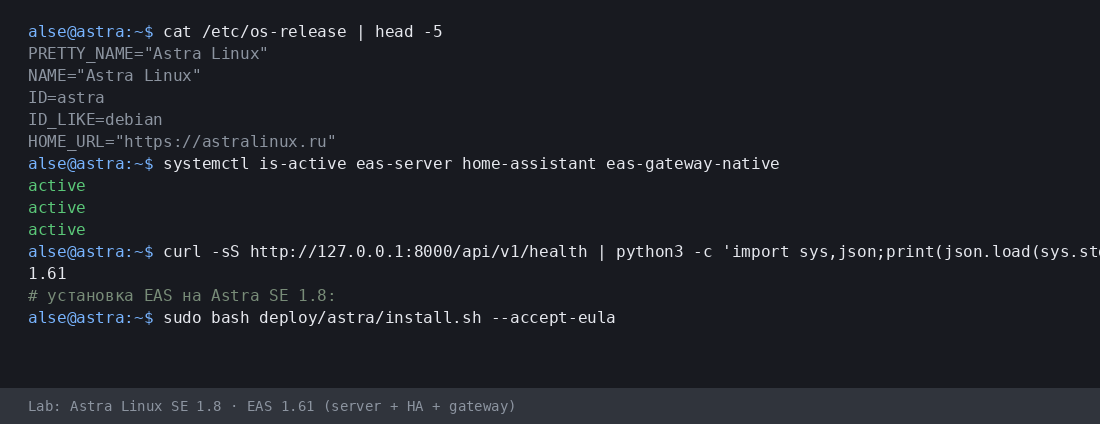
Mehr:Zutritt auf Astra Linux·Blog guide.
- Astra-Installationsskript (.sh) herunterladen
- EAS-Paket (.tar.gz) herunterladen, Online · online install — needs OS mirrors / usually PyPI
- Linux/Astra Offline-Fat herunterladen (.tar.gz) · no PyPI; OS apt mirrors still needed
- Download setup.exe · GUI wizard
- Download offline ZIP · no PyPI
- Download setup.exe to an admin PC or the server.
- Run the wizard, wait for EAS services, open http://localhost:8000/admin.
- Paste the trial key on the License tab.
Product page:Zutritt auf Windows Server.
Version 1.65 · Windows Server · 90-day trial · Telegram support
Vor der Installation
- Der Testschlüssel ist an das Betriebssystem gebunden: Ubuntu (30 Tage), Astra (90 Tage) oder Windows (90 Tage). Ein Schlüssel für ein anderes System lässt sich nicht aktivieren.
- Windows: setup.exe and offline ZIP — /download/windows/. Ubuntu/Astra: .sh, online .tar.gz, and offline fat — /docs/ and /docs/install/. Fat is shared for Ubuntu and Astra.
- Unter Windows Server läuft Home Assistant nur auf einer separaten Linux-Maschine (in EAS: IP + Token). Kein HA auf derselben Windows-Box.
- Unter Astra im advanced-Modus kann EAS neben MIC laufen — nach Servervorbereitung mit einem Ingenieur. Keine Zertifizierung und keine MRD-Unterstützung.
Probleme bei der Installation?Schreiben Sie in EAS Support— Fragen und Fehler nach Sprache, kostenlos.
Aktuelle Version · 1.68
EAS 1.68· patch 1.68· mobile 0.5.67· TV Wall 0.5.43
Minimaler Pilot
- EAS-Admin öffnen — http://<Server>:8000/admin (Login in /etc/eas/eas.bootstrap.credentials)
- Registerkarte Lizenz — Schlüssel einfügen und Aktivieren
- ZKTeco-C3-Controller hinzufügen — Bereich Geräte
Später (optional)
- Home Assistant und Sensoren — wenn Telemetrie auf dem Plan nötig ist
- Mobile App — APK auf dem EAS-Hub
- Updates — Administration → Hub-Update
Detailed instructions with screenshots — in the EAS docs. Dokumente.Lost your key? Personal account. anmelden.