Windows Server · EAS 1.68
EAS trial on Windows Server
Request a 90-day key and download the installer. The admin opens in the browser after setup. 데모·Ubuntu 출입통제·Astra Linux 출입통제.Astra Linux 출입통제·Blog guide·데모.Windows Server 출입통제·Ubuntu 출입통제·데모.
More about install: Windows Server 출입통제.
Windows track: 90-day key, activates only on Windows Server.
Windows trial key (90 days)
Enter a work email — the key is emailed and activates only on Windows Server.
The key has been sent by email.
Check email (and Spam). Admin → License → paste the key. Term: 90 days from activation.
The key is also available in your personal account - log in using the same email. — 로그인.
Download the installer
We recommend setup.exe. If the server has no internet — use the offline ZIP.
- Copy the command for IT or run it yourself on Astra SE 1.8 with internet access.
- The command downloads eas-native from the hub and runs deploy/astra/install.sh (no Ubuntu mirrors).
- Open http://<server>:8000/admin and paste the trial key on the License tab.
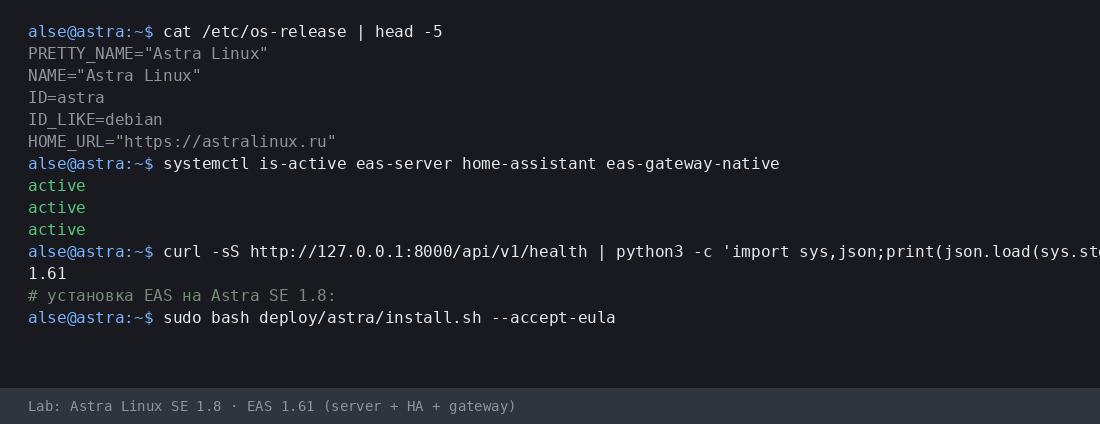
More:Astra Linux 출입통제·Blog guide.
- Astra 설치 스크립트(.sh) 다운로드
- EAS 패키지(.tar.gz) 다운로드(온라인) · online install — needs OS mirrors / usually PyPI
- Linux/Astra 오프라인 fat 다운로드 (.tar.gz) · no PyPI; OS apt mirrors still needed
- Download setup.exe · GUI wizard
- Download offline ZIP · no PyPI
- Download setup.exe to an admin PC or the server.
- Run the wizard, wait for EAS services, open http://localhost:8000/admin.
- Paste the trial key on the License tab.
Product page:Windows Server 출입통제.
Version 1.65 · Windows Server · 90-day trial · Telegram support
설치 전에
- 체험 키는 OS에 묶입니다: Ubuntu(30일), Astra(90일), Windows(90일). 다른 OS 키는 활성화되지 않습니다.
- Windows: setup.exe and offline ZIP — /download/windows/. Ubuntu/Astra: .sh, online .tar.gz, and offline fat — /docs/ and /docs/install/. Fat is shared for Ubuntu and Astra.
- Windows Server에서는 Home Assistant가 별도 Linux 기기에서만 동작합니다(EAS: IP+토큰). Windows 본체에 HA는 없습니다.
- Astra advanced 모드에서 엔지니어와 서버 준비 후 EAS가 MIC와 함께 동작할 수 있습니다. 인증이나 MRD 지원이 아닙니다.
설치 중 문제가 있나요?EAS Support에 문의— 언어별 질문과 오류, 무료.
현재 버전 · 1.68
EAS 1.68· patch 1.68· mobile 0.5.67· TV Wall 0.5.43
최소 파일럿
- Open EAS Admin — http://<server>:8000/admin (login in /etc/eas/eas.bootstrap.credentials)
- License tab — paste the trial key and click Activate
- Add a ZKTeco C3 controller — Equipment section
나중에 (선택)
- Home Assistant and sensors — when you need telemetry on the floor plan
- Mobile app — APK on the EAS hub
- Updates — Administration → Hub update
Detailed instructions with screenshots — in the EAS docs. 문서.Lost your key? Personal account. 로그인.