ติดตั้งทดลอง EAS · EAS 1.68
ติดตั้งทดลอง EAS
Pick the server OS: Ubuntu, Astra, or Windows. Forward install to IT and request a trial key below — validate access, video, and the floor plan on a real site. สาธิต·ACS บน Ubuntu·ACS บน Astra Linux.ACS บน Astra Linux·Blog guide·สาธิต.ACS บน Windows Server·ACS บน Ubuntu·สาธิต.
ไพลอตแรก — โรงงาน; 30,000 ₽ ไม่คิดรายประตู อัปเดตเป็นทางเลือก กรณีศึกษาไซต์แรก.
An Astra key activates only on Astra. One-command install is for Ubuntu; for Astra see the beta support page. ACS บน Astra Linux.
ขั้นตอนที่ 2 คีย์ทดลอง (หลังติดตั้งได้)
ใส่อีเมลงานและ OS ของเซิร์ฟเวอร์ — คีย์จะส่งทางอีเมล (Ubuntu 30 วัน, Astra SE 1.8 เบตา 90 วัน หรือ Windows 90 วัน) เปิดใช้ในแอดมินหลังติดตั้ง
The key has been sent by email.
ตรวจอีเมล (และสแปม) แอดมิน → สิทธิ์การใช้งาน → วางคีย์ ระยะเวลา: 30 วัน (Ubuntu) หรือ 90 วัน (Astra เบตา / Windows) นับจากเปิดใช้
The key is also available in your personal account - log in using the same email. — เข้าสู่ระบบ.
ขั้นตอนที่ 1 ติดตั้งบนเซิร์ฟเวอร์ (สำหรับ IT)
Forward this command to the server admin or copy it yourself. GA target is clean Ubuntu 22.04+. For Astra SE 1.8 use the beta installer (see the Astra page).
คำสั่งนี้ทำอะไร
- ดาวน์โหลดตัวติดตั้ง EAS อย่างเป็นทางการจาก asceas.ru (ไม่ใช่ GitHub แปลกๆ)
- ติดตั้งบริการ systemd บน Ubuntu: เซิร์ฟเวอร์ EAS ฐานข้อมูล และเกตเวย์ ACS เมื่อจำเป็น
- ยอมรับข้อตกลงผู้ใช้ด้วย EAS_ACCEPT_EULA=1 ในคำสั่ง — ไม่มีขั้นตอนซ่อน
- URL สคริปต์ด้านบนเปิดได้ — ดาวน์โหลดอ่านก่อนได้
SHA-256 ของ install-eas-from-hub.sh:e62aa65c1cc611ffc397278d3eb8a88a9ac6f9c981a5d92b41b93d164e9e17a7
ตรวจ: curl -fsSL …/install-eas-from-hub.sh | sha256sum — ผลรวมต้องตรง
- ดาวน์โหลดสคริปต์ติดตั้ง Ubuntu (.sh)
- ดาวน์โหลดแพ็ก EAS (.tar.gz) ออนไลน์ · online install — needs OS mirrors / usually PyPI
- ดาวน์โหลด fat ออฟไลน์ Linux/Astra (.tar.gz) · no PyPI; OS apt mirrors still needed
- Copy the command for IT or run it yourself on Astra SE 1.8 with internet access.
- The command downloads eas-native from the hub and runs deploy/astra/install.sh (no Ubuntu mirrors).
- Open http://<server>:8000/admin and paste the trial key on the License tab.
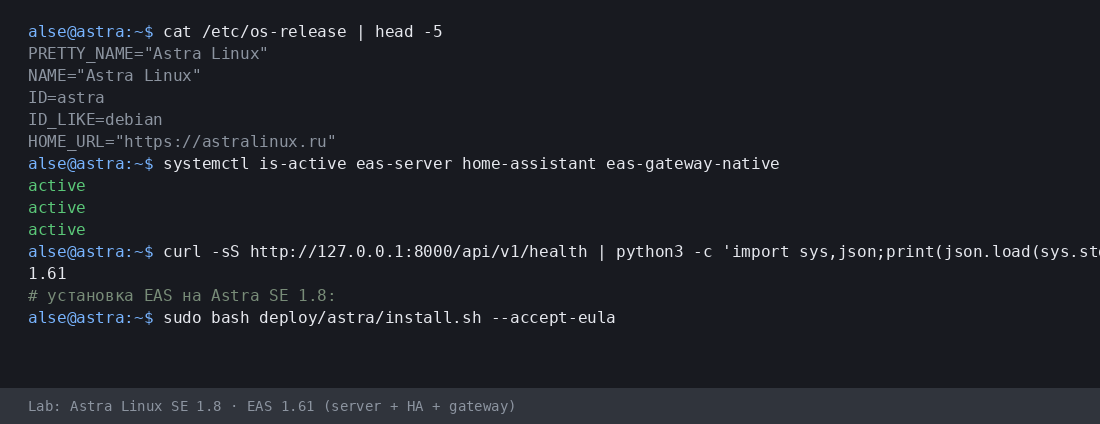
More:ACS บน Astra Linux·Blog guide.
- ดาวน์โหลดสคริปต์ติดตั้ง Astra (.sh)
- ดาวน์โหลดแพ็ก EAS (.tar.gz) ออนไลน์ · online install — needs OS mirrors / usually PyPI
- ดาวน์โหลด fat ออฟไลน์ Linux/Astra (.tar.gz) · no PyPI; OS apt mirrors still needed
- Download setup.exe · GUI wizard
- Download offline ZIP · no PyPI
- Download setup.exe to an admin PC or the server.
- Run the wizard, wait for EAS services, open http://localhost:8000/admin.
- Paste the trial key on the License tab.
Product page:ACS บน Windows Server.
Version 1.68 · Ubuntu 30 days · Astra/Windows 90 days · Telegram support
ก่อนติดตั้ง
- คีย์ทดลองผูกกับระบบปฏิบัติการ: Ubuntu (30 วัน), Astra (90 วัน) หรือ Windows (90 วัน) คีย์ระบบอื่นเปิดใช้ไม่ได้
- Windows: setup.exe and offline ZIP — /download/windows/. Ubuntu/Astra: .sh, online .tar.gz, and offline fat — /docs/ and /docs/install/. Fat is shared for Ubuntu and Astra.
- บน Windows Server ให้รัน Home Assistant บนเครื่อง Linux แยกเท่านั้น (ใน EAS ใส่ IP และโทเคน) ไม่มี HA บนเครื่อง Windows เดียวกัน
- บน Astra โหมด advanced EAS ทำงานคู่กับ MIC ได้หลังเตรียมเซิร์ฟเวอร์กับวิศวกร นี่ไม่ใช่การรับรองและไม่รองรับ MRD
ติดปัญหาตอนติดตั้ง?เขียนใน EAS Support— คำถามและข้อผิดพลาดตามภาษา ฟรี
เวอร์ชันปัจจุบัน · 1.68
EAS 1.68· patch 1.68· mobile 0.5.67· TV Wall 0.5.43
ไพลอตขั้นต่ำ
- Open EAS Admin — http://<server>:8000/admin (login in /etc/eas/eas.bootstrap.credentials)
- License tab — paste the trial key and click Activate
- Add a ZKTeco C3 controller — Equipment section
ภายหลัง (ถ้าต้องการ)
- Home Assistant and sensors — when you need telemetry on the floor plan
- Mobile app — APK on the EAS hub
- Updates — Administration → Hub update
Detailed instructions with screenshots — in the EAS docs. เอกสาร.Lost your key? Personal account. เข้าสู่ระบบ.