تثبيت تجربة EAS · EAS 1.68
تثبيت تجربة EAS
Pick the server OS: Ubuntu, Astra, or Windows. Forward install to IT and request a trial key below — validate access, video, and the floor plan on a real site. تجريبي·التحكم بالوصول على Ubuntu·التحكم بالوصول على Astra Linux.التحكم بالوصول على Astra Linux·Blog guide·تجريبي.التحكم بالوصول على Windows Server·التحكم بالوصول على Ubuntu·تجريبي.
أول تجربة — مصنع؛ 30 000 ₽ بلا رسوم لكل باب، التحديثات اختيارية. دراسة الموقع الأول.
An Astra key activates only on Astra. One-command install is for Ubuntu; for Astra see the beta support page. التحكم بالوصول على Astra Linux.
الخطوة 2. مفتاح التجربة (يمكن بعد التثبيت)
أدخل بريداً للعمل ونظام الخادم — يصل المفتاح بالبريد (أوبونتو 30 يوماً، أسترا SE 1.8 تجريبي 90 يوماً أو Windows 90 يوماً). فعّله في لوحة الإدارة بعد التثبيت.
The key has been sent by email.
تحقق من البريد (ومجلد الرسائل غير المرغوب فيها). الإدارة → الترخيص → الصق المفتاح. المدة: 30 يوماً (أوبونتو) أو 90 يوماً (أسترا تجريبي / Windows) من التفعيل.
The key is also available in your personal account - log in using the same email. — تسجيل الدخول.
الخطوة 1. تثبيت الخادم (لفريق IT)
Forward this command to the server admin or copy it yourself. GA target is clean Ubuntu 22.04+. For Astra SE 1.8 use the beta installer (see the Astra page).
ماذا يفعل هذا الأمر
- ينزّل مثبّت EAS الرسمي من asceas.ru (وليس من GitHub عشوائي).
- يثبّت خدمات systemd على Ubuntu: خادم EAS وقاعدة البيانات وبوابة التحكم بالدخول عند الحاجة.
- يقبل اتفاقية المستخدم عبر EAS_ACCEPT_EULA=1 في الأمر — بلا خطوات مخفية.
- رابط السكربت أعلاه مفتوح — يمكن تنزيله وقراءته أولاً.
SHA-256 لـ install-eas-from-hub.sh:e62aa65c1cc611ffc397278d3eb8a88a9ac6f9c981a5d92b41b93d164e9e17a7
تحقق: curl -fsSL …/install-eas-from-hub.sh | sha256sum — يجب أن يتطابق الملخص.
- تنزيل سكربت تثبيت Ubuntu (.sh)
- تنزيل حزمة EAS (.tar.gz) عبر الإنترنت · online install — needs OS mirrors / usually PyPI
- تنزيل حزمة Linux/Astra دون اتصال (.tar.gz) · no PyPI; OS apt mirrors still needed
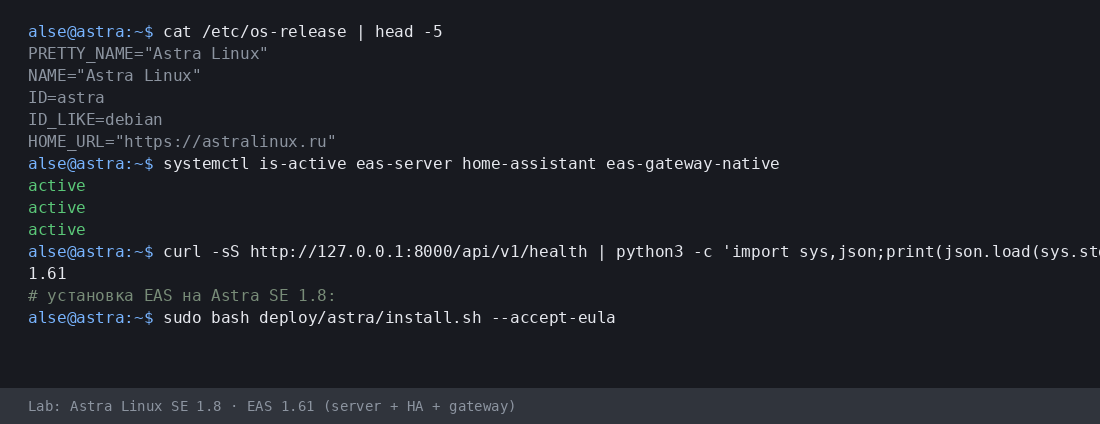
- Copy the command for IT or run it yourself on Astra SE 1.8 with internet access.
- The command downloads eas-native from the hub and runs deploy/astra/install.sh (no Ubuntu mirrors).
- Open http://<server>:8000/admin and paste the trial key on the License tab.
More:التحكم بالوصول على Astra Linux·Blog guide.
- تنزيل سكربت تثبيت Astra (.sh)
- تنزيل حزمة EAS (.tar.gz) عبر الإنترنت · online install — needs OS mirrors / usually PyPI
- تنزيل حزمة Linux/Astra دون اتصال (.tar.gz) · no PyPI; OS apt mirrors still needed
- Download setup.exe · GUI wizard
- Download offline ZIP · no PyPI
- Download setup.exe to an admin PC or the server.
- Run the wizard, wait for EAS services, open http://localhost:8000/admin.
- Paste the trial key on the License tab.
Product page:التحكم بالوصول على Windows Server.
Version 1.68 · Ubuntu 30 days · Astra/Windows 90 days · Telegram support
قبل التثبيت
- مفتاح التجربة مرتبط بنظام التشغيل: أوبونتو (30 يومًا) أو أسترا (90) أو ويندوز (90). مفتاح نظام آخر لن يُفعَّل.
- Windows: setup.exe and offline ZIP — /download/windows/. Ubuntu/Astra: .sh, online .tar.gz, and offline fat — /docs/ and /docs/install/. Fat is shared for Ubuntu and Astra.
- على Windows Server يعمل Home Assistant فقط على جهاز Linux منفصل (في EAS: IP ورمز). لا يوجد HA على نفس جهاز Windows.
- على أسترا في الوضع المتقدم يمكن لـ EAS العمل بجوار MIC بعد تجهيز الخادم مع مهندس. هذا ليس اعتمادًا وليس دعم MRD.
مشكلة أثناء التثبيت؟اكتب في EAS Support— أسئلة وأخطاء حسب اللغة، مجانًا.
الإصدار الحالي · 1.68
EAS 1.68· patch 1.68· mobile 0.5.67· TV Wall 0.5.43
تجربة الحد الأدنى
- Open EAS Admin — http://<server>:8000/admin (login in /etc/eas/eas.bootstrap.credentials)
- License tab — paste the trial key and click Activate
- Add a ZKTeco C3 controller — Equipment section
لاحقاً (اختياري)
- Home Assistant and sensors — when you need telemetry on the floor plan
- Mobile app — APK on the EAS hub
- Updates — Administration → Hub update
Detailed instructions with screenshots — in the EAS docs. المستندات.Lost your key? Personal account. تسجيل الدخول.