EASトライアルをインストール · EAS 1.68
EASトライアルをインストール
Pick the server OS: Ubuntu, Astra, or Windows. Forward install to IT and request a trial key below — validate access, video, and the floor plan on a real site. デモ·Ubuntuの入退室管理·Astra Linuxの入退室管理.Astra Linuxの入退室管理·Blog guide·デモ.Windows Serverの入退室管理·Ubuntuの入退室管理·デモ.
最初のパイロットは製造現場。ドア課金なし30,000₽、更新は任意。 最初の現場ケース.
An Astra key activates only on Astra. One-command install is for Ubuntu; for Astra see the beta support page. Astra Linuxの入退室管理.
ステップ2. トライアルキー(インストール後でも可)
勤務先メールとサーバーOSを入力 — キーが届きます(Ubuntu 30日、Astra SE 1.8 ベータ 90日、または Windows 90日)。インストール後に管理画面で有効化します。
The key has been sent by email.
メール(迷惑メールも含む)を確認。管理 → ライセンス → キーを貼り付け。期間:Ubuntu 30日、または Astra ベータ / Windows 90日(有効化から)。
The key is also available in your personal account - log in using the same email. — サインイン.
ステップ1. サーバーへのインストール(IT向け)
Forward this command to the server admin or copy it yourself. GA target is clean Ubuntu 22.04+. For Astra SE 1.8 use the beta installer (see the Astra page).
このコマンドの内容
- asceas.ruから公式EASインストーラを取得します(無関係なGitHubではありません)。
- Ubuntuのsystemdサービスを導入:EASサーバー、DB、必要ならACSゲートウェイ。
- コマンドの EAS_ACCEPT_EULA=1 で利用規約に同意(隠しプロンプトなし)。
- 上のスクリプトURLは公開 — 先にダウンロードして読めます。
install-eas-from-hub.sh の SHA-256:e62aa65c1cc611ffc397278d3eb8a88a9ac6f9c981a5d92b41b93d164e9e17a7
確認: curl -fsSL …/install-eas-from-hub.sh | sha256sum — 一致すること。
- Ubuntu インストールスクリプト (.sh) をダウンロード
- EAS パッケージ (.tar.gz) をダウンロード(オンライン) · online install — needs OS mirrors / usually PyPI
- Linux/Astra オフライン fat をダウンロード (.tar.gz) · no PyPI; OS apt mirrors still needed
- Copy the command for IT or run it yourself on Astra SE 1.8 with internet access.
- The command downloads eas-native from the hub and runs deploy/astra/install.sh (no Ubuntu mirrors).
- Open http://<server>:8000/admin and paste the trial key on the License tab.
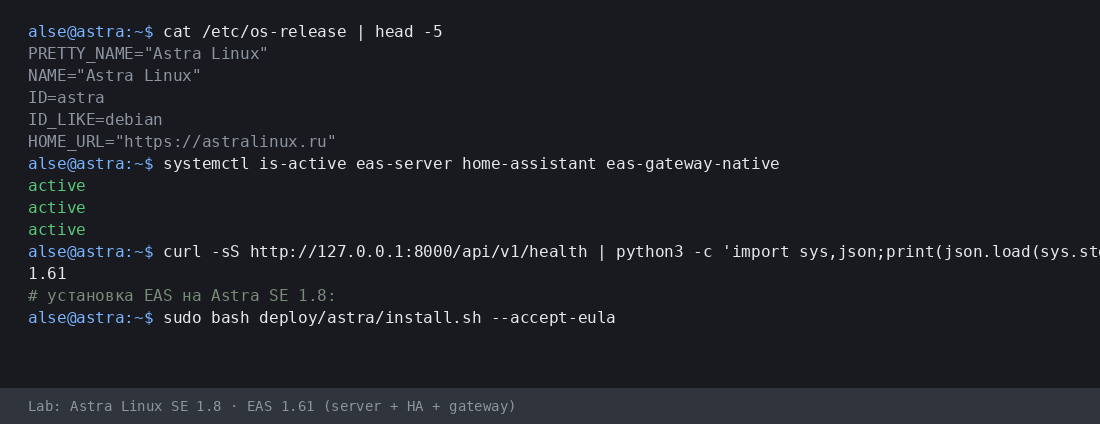
More:Astra Linuxの入退室管理·Blog guide.
- Astra インストールスクリプト (.sh) をダウンロード
- EAS パッケージ (.tar.gz) をダウンロード(オンライン) · online install — needs OS mirrors / usually PyPI
- Linux/Astra オフライン fat をダウンロード (.tar.gz) · no PyPI; OS apt mirrors still needed
- Download setup.exe · GUI wizard
- Download offline ZIP · no PyPI
- Download setup.exe to an admin PC or the server.
- Run the wizard, wait for EAS services, open http://localhost:8000/admin.
- Paste the trial key on the License tab.
Product page:Windows Serverの入退室管理.
Version 1.68 · Ubuntu 30 days · Astra/Windows 90 days · Telegram support
インストールの前に
- トライアルキーはOSに紐づきます:Ubuntu(30日)、Astra(90日)、Windows(90日)。別OSのキーは有効化できません。
- Windows: setup.exe and offline ZIP — /download/windows/. Ubuntu/Astra: .sh, online .tar.gz, and offline fat — /docs/ and /docs/install/. Fat is shared for Ubuntu and Astra.
- Windows Server では Home Assistant は別の Linux 機のみ(EAS では IP とトークン)。Windows 本体上の HA はありません。
- Astra の advanced モードでは、技術者とサーバー準備後に EAS を MIC と共存できます。認証でも MRD サポートでもありません。
インストールで困っていますか?EAS Supportに書く— 言語別の質問と不具合、無料。
現在のバージョン · 1.68
EAS 1.68· patch 1.68· mobile 0.5.67· TV Wall 0.5.43
最小パイロット
- Open EAS Admin — http://<server>:8000/admin (login in /etc/eas/eas.bootstrap.credentials)
- License tab — paste the trial key and click Activate
- Add a ZKTeco C3 controller — Equipment section
後で(任意)
- Home Assistant and sensors — when you need telemetry on the floor plan
- Mobile app — APK on the EAS hub
- Updates — Administration → Hub update
Detailed instructions with screenshots — in the EAS docs. ドキュメント.Lost your key? Personal account. サインイン.