المستندات
تعليمات EAS
Step-by-step guides with screenshots: install the EAS software on Ubuntu, Astra, or Windows, then daily work for security, HR, and admins.
تثبيت برنامج EAS
يجب أن يكون نظام التشغيل مثبتًا مسبقًا. يعمل EAS على Ubuntu 22.04+ أو Astra Linux SE 1.8 (تجريبي) أو Windows Server الجاهز. اختر المسار — الدليل الكامل: تعليمات التثبيت.
Ubuntu 22.04+ — One command on a ready Ubuntu server — downloads bundle 1.68 from https://asceas.ru/eas-hub/manifest.json:
- تنزيل سكربت تثبيت Ubuntu (.sh)
- تنزيل حزمة EAS (.tar.gz) عبر الإنترنت · online install — needs OS mirrors / usually PyPI
- تنزيل حزمة Linux/Astra دون اتصال (.tar.gz) · no PyPI; OS apt mirrors still needed
- التحكم بالوصول على Ubuntu · تثبيت النسخة التجريبية · تعليمات التثبيت
Astra Linux SE 1.8 (beta) — Separate command and 90-day trial. Do not use the Ubuntu curl above.
- تنزيل سكربت تثبيت Astra (.sh)
- تنزيل حزمة EAS (.tar.gz) عبر الإنترنت · online install — needs OS mirrors / usually PyPI
- تنزيل حزمة Linux/Astra دون اتصال (.tar.gz) · no PyPI; OS apt mirrors still needed
- التحكم بالوصول على Astra Linux · ACS on Astra · تعليمات التثبيت
Windows Server — Download setup.exe or the offline ZIP using the links below. 90-day trial.
ابدء
تثبيت EAS على الخادم
كيفية تثبيت برنامج EAS على خادم جاهز: Ubuntu أو Astra Linux SE 1.8 أو Windows Server. أول دخول وتفعيل.
مسؤول أنظمة، مُدمِجمتطلبات الخادم وحسابات الأجهزة
الحد الأدنى للموارد التجريبية والموصى بها هو 100 كاميرا و100 جهاز استشعار و10 وحدات تحكم ACS.
مسؤول النظام، التكامل، الشراء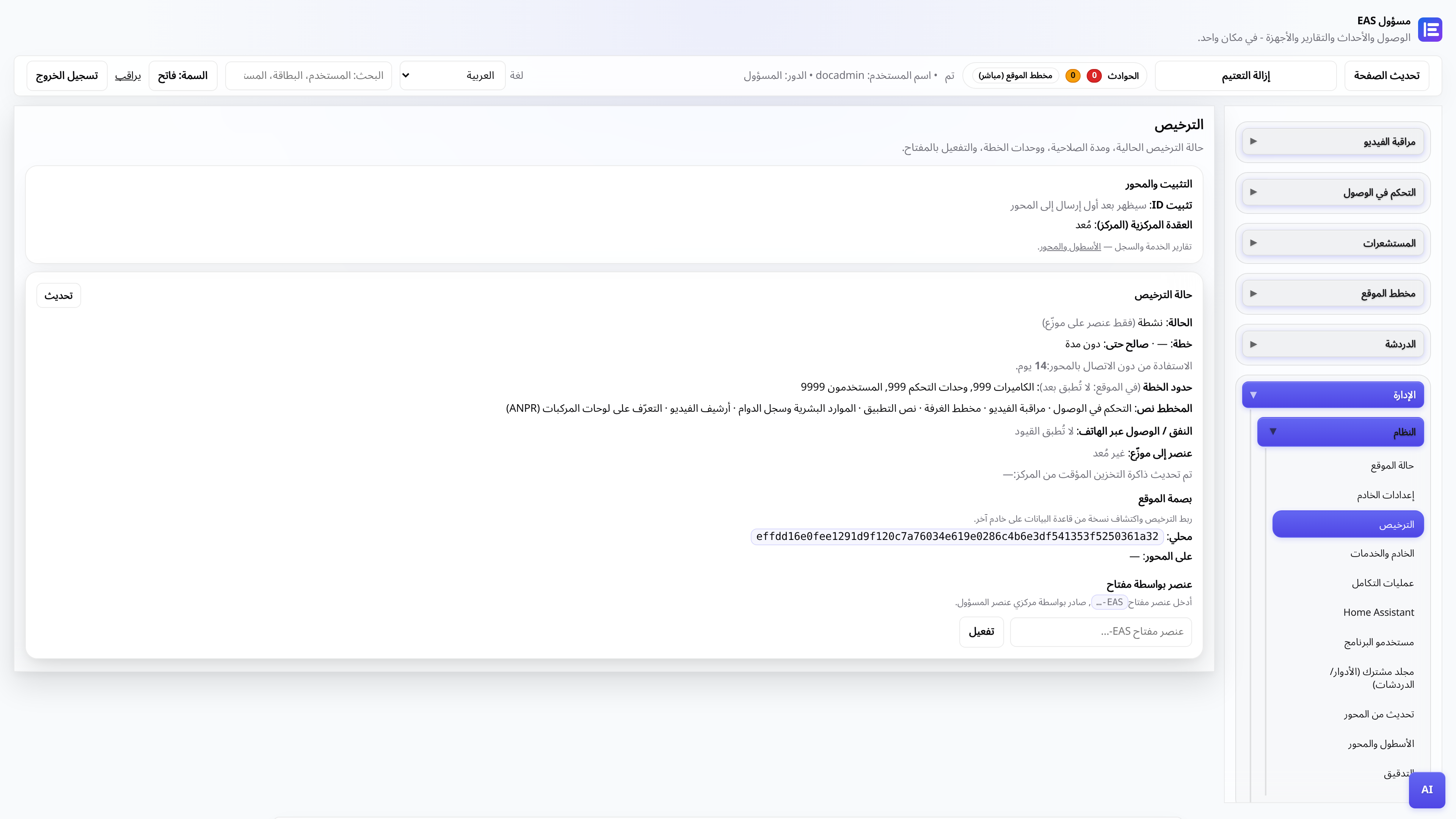
الترخيص والتجربة لمدة 30 يوما
استلام المفتاح والتنشيط في لوحة الإدارة والتجديد من خلال العقدة المركزية.
المسؤولنقل EAS إلى عتاد جديد
كيفية نقل موقع يعمل إلى خادم جديد واستعادة الوصول عبر الجوال والتحديثات.
مسؤول أنظمة، مُدمِج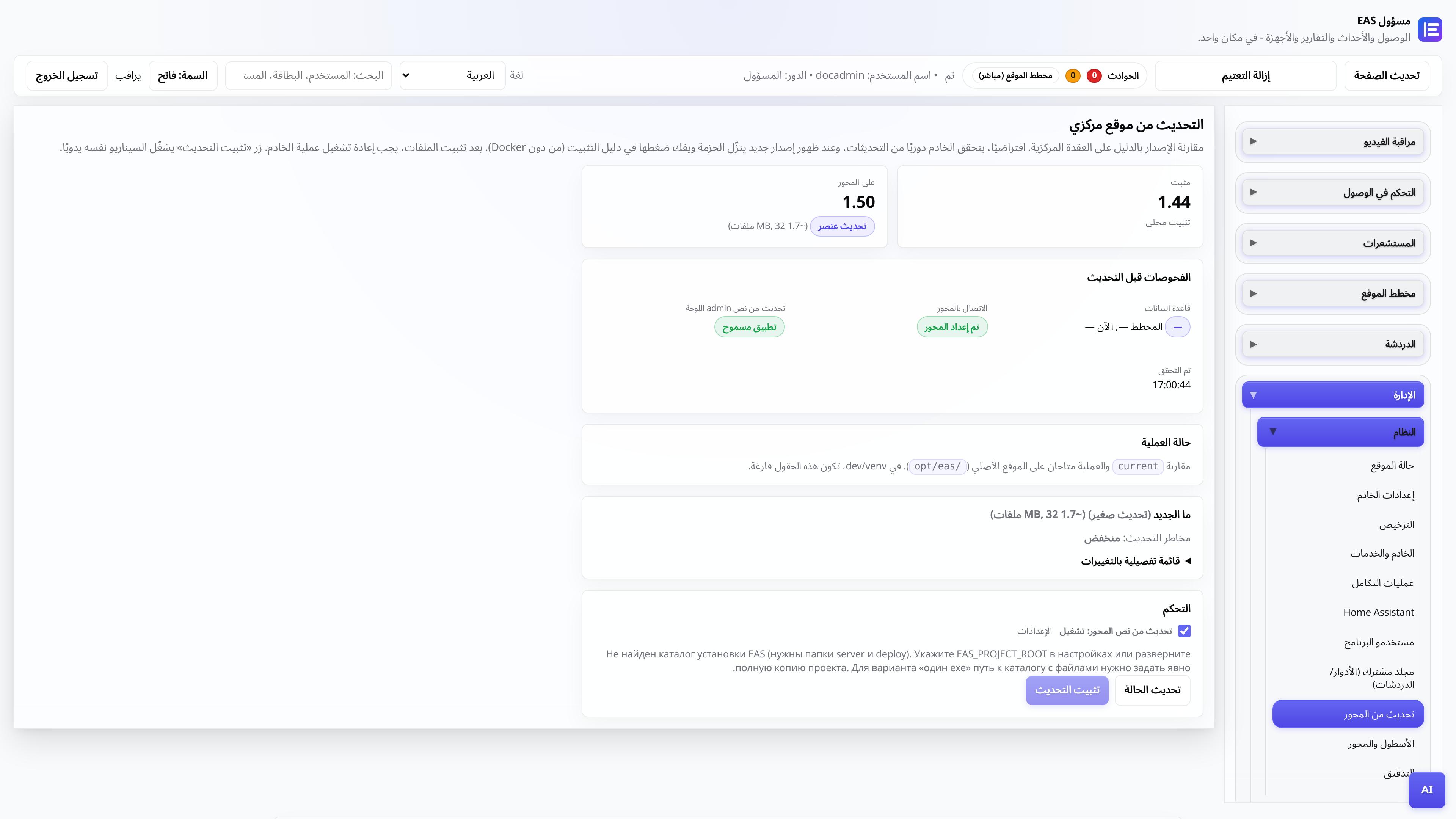
التحديثات من محور مركزي
EAS 1.0، والتصحيح 1.1+ (التصحيح التراكمي)، وسجل التغيير في لوحة الإدارة والتطبيق دون فقدان البيانات.
مسؤول النظام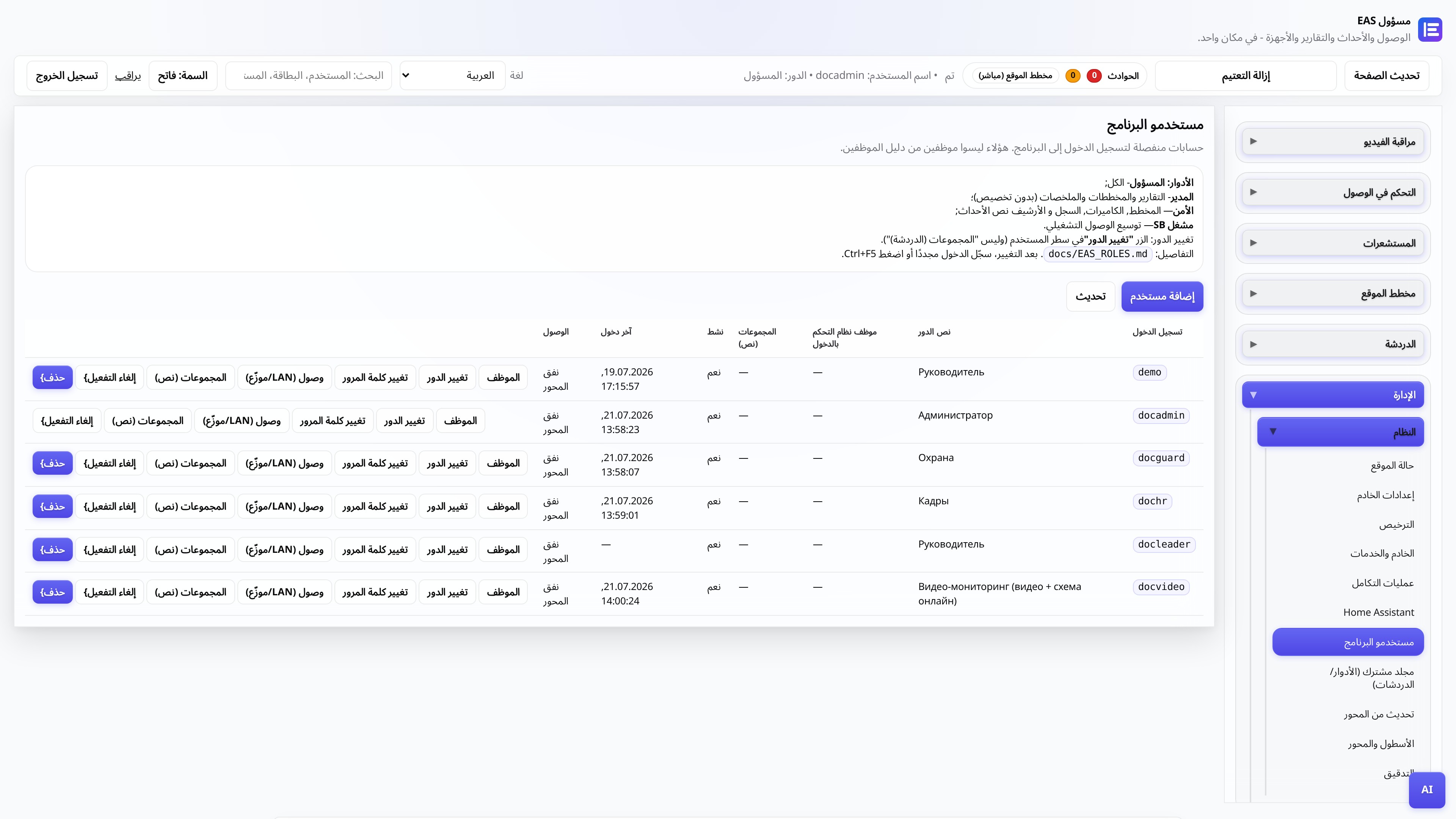
أدوار مستخدم مسؤول الويب
من يرى ماذا: المسؤول، الأمن، الموظفين، المدير، منشور الفيديو.
المسؤولالمسؤول
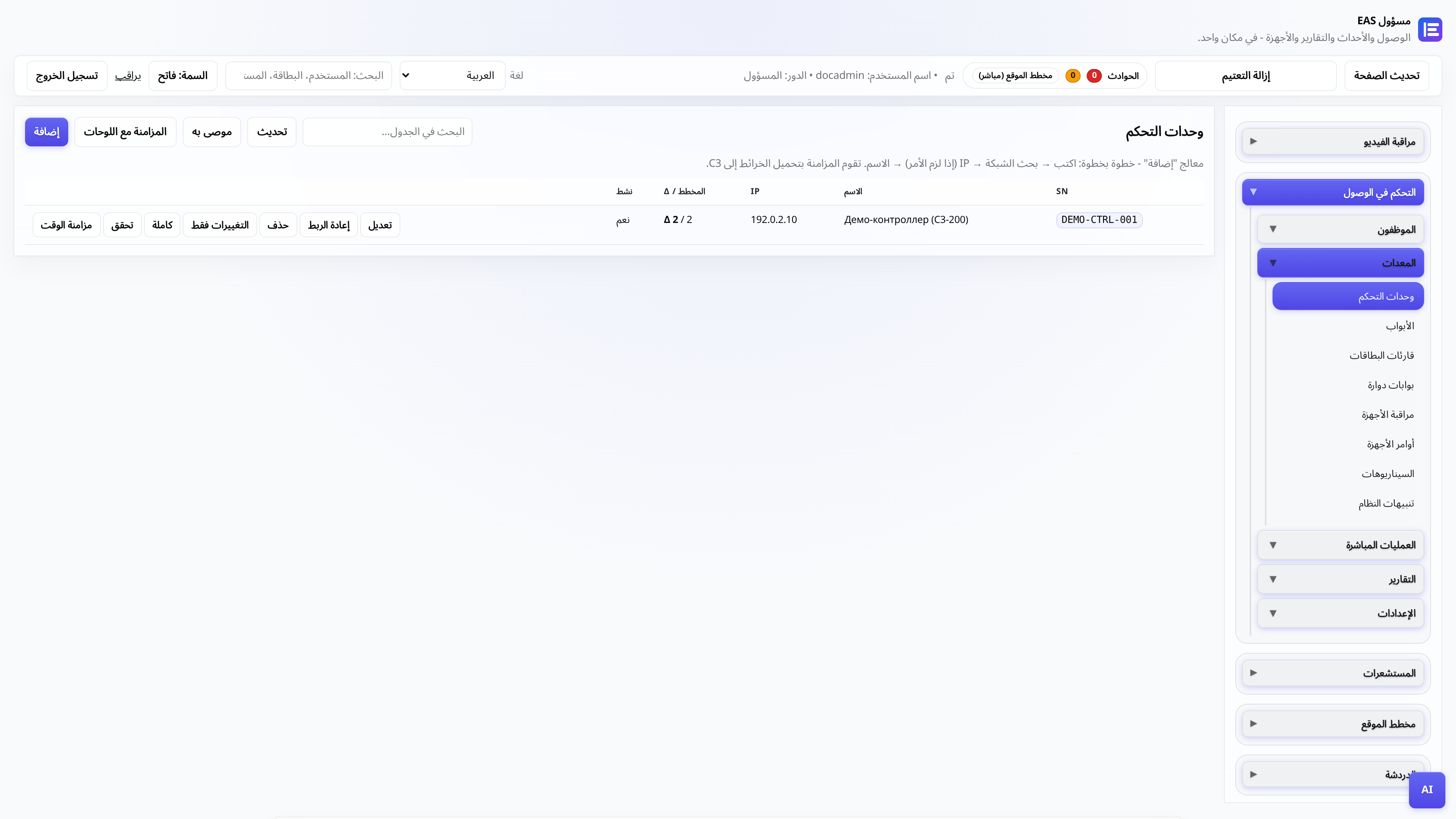
توصيل وحدة تحكم ACS
إضافة ZKTeco C3، وبوابة الاقتراع، وفحص التمريرات.
المسؤول، التكامل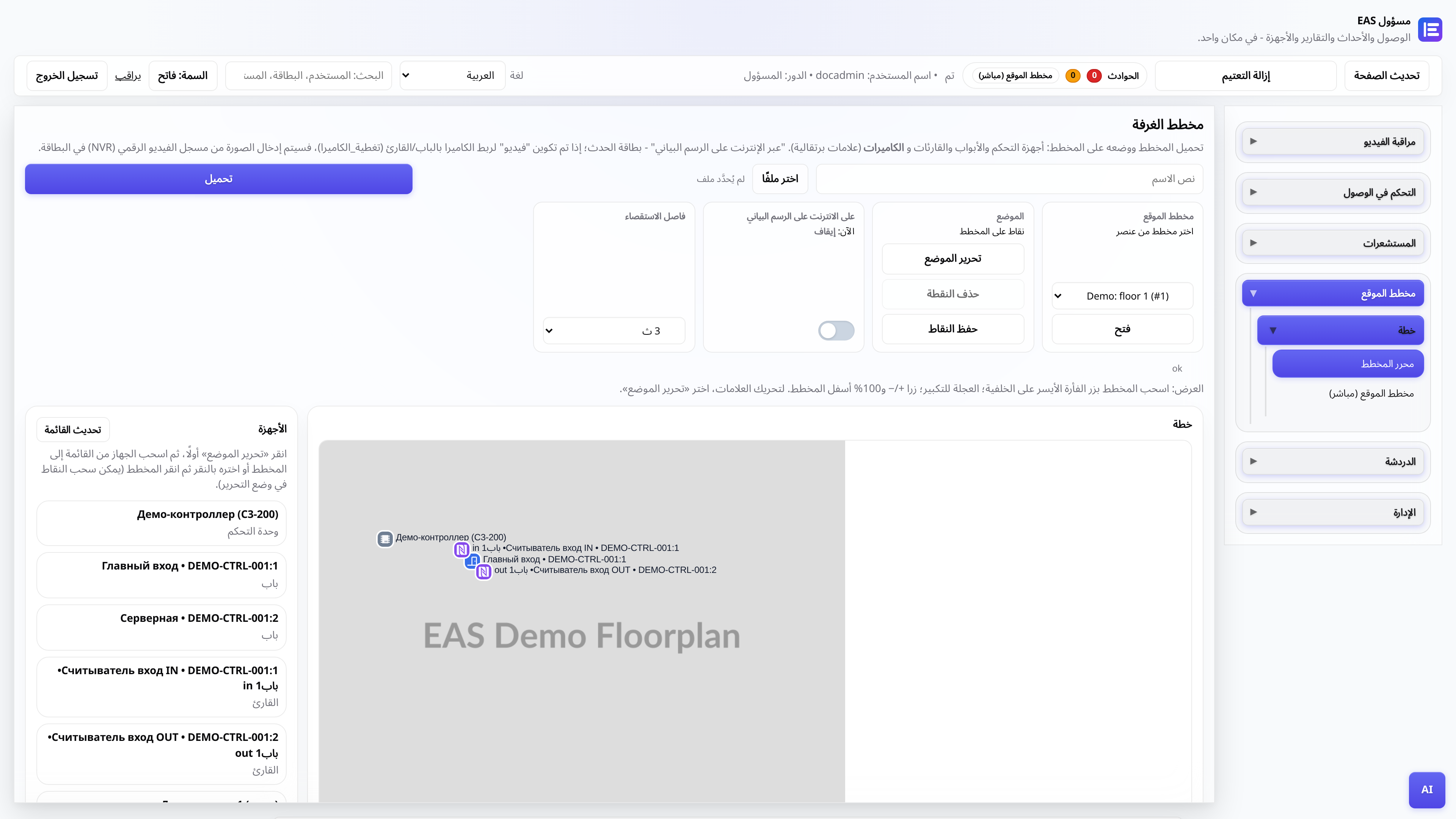
مخطط الكائن
تحميل الخطة، ووضع العلامات، والوضع عبر الإنترنت للمنشور.
المسؤول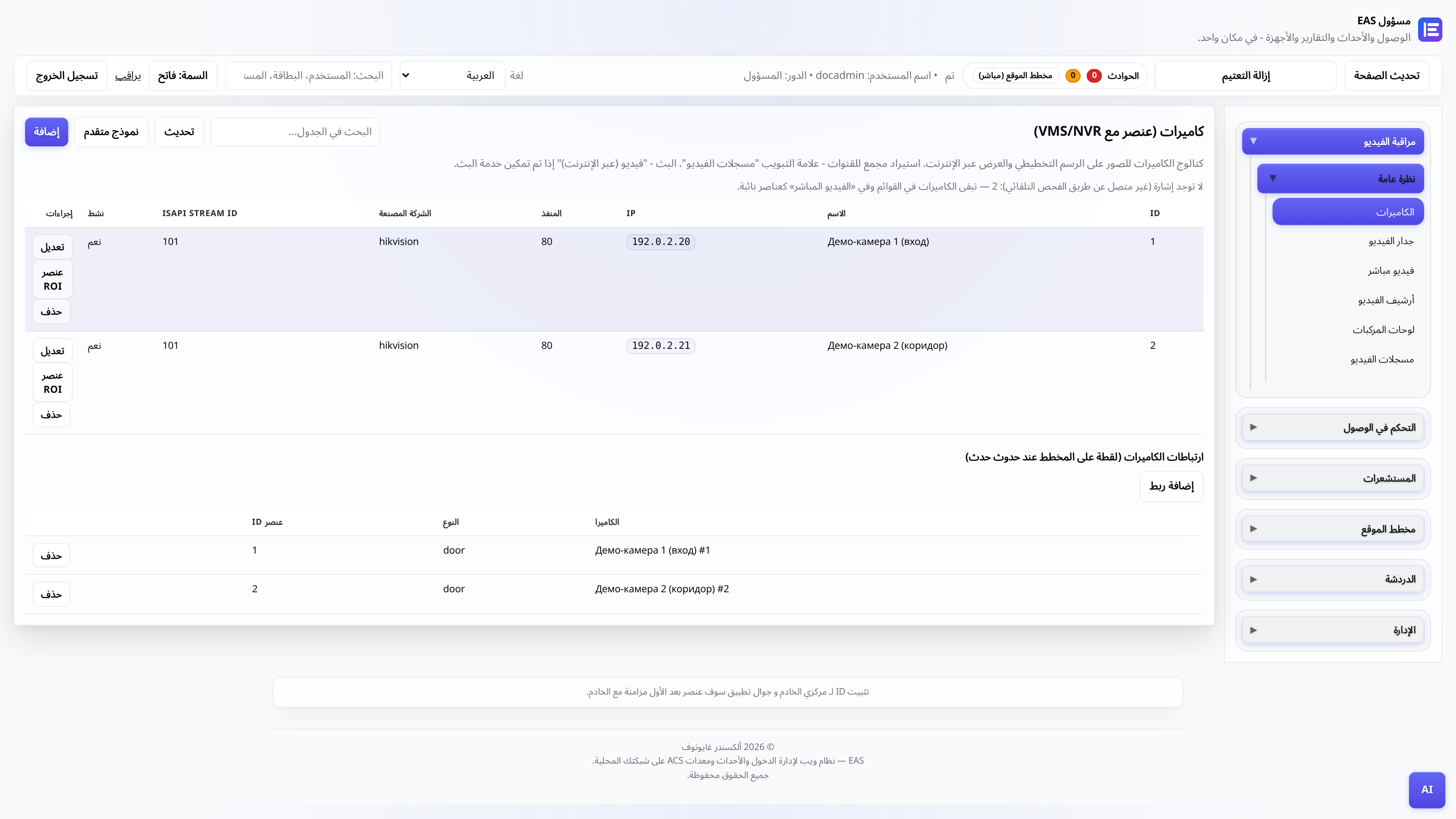
الكاميرات والمراقبة بالفيديو
كتالوج الكاميرا، "فيديو (عبر الإنترنت)" - المشغل والشبكة، "أرشيف الفيديو" - يوم مع الحجم والتصدير.
مدير، مشاركة الفيديوجدار التلفزيون - فسيفساء على شاشة التلفزيون
تثبيت APK على Android TV / الكمبيوتر اللوحي Security Post (شبكة LAN الخاصة بالموقع فقط).
المسؤول، التكاملوحدة التحكم غير متصلة بالإنترنت - التشخيص
ما الذي يجب التحقق منه إذا كانت لوحة ZKTeco C3 لا تستجيب في EAS: الشبكة والبوابة والخدمات.
المسؤول، التكاملبيان السائق (للمتكاملين)
كيفية توصيل سلسلة جديدة من أجهزة القراءة عبر موفر البوابة دون تحرير قلب EAS.
متكامل، مطور