Administrator
Object diagram
Loading the plan, placing tags, online mode for the post.
- 1
Create a diagram
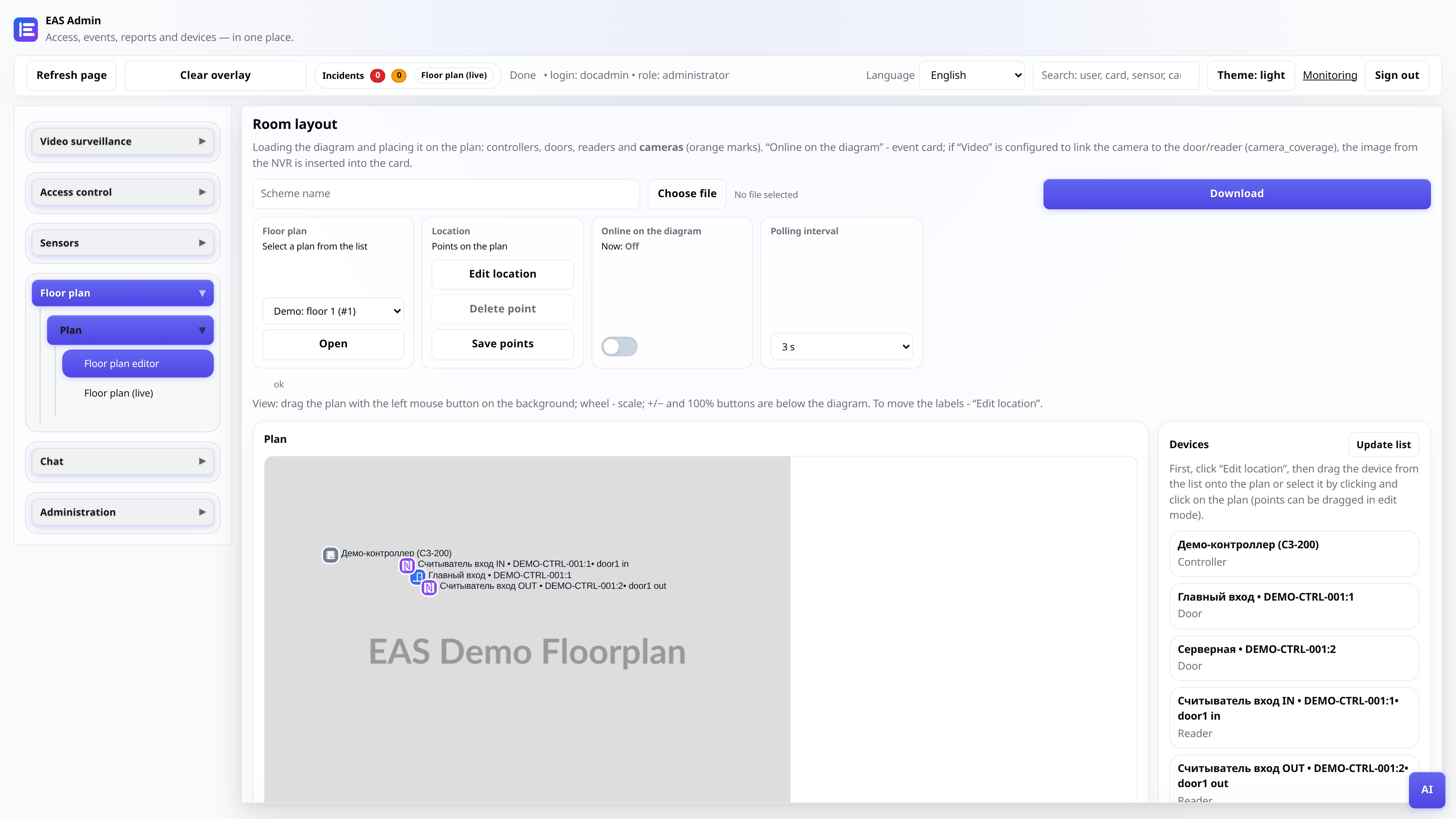
“Scheme → Scheme Editor” tab. Upload a PNG or JPEG of the floor plan, give it a name (for example, “Floor 1”).
- 2
Place your marks
Drag controllers, doors, cameras and sensors from the list on the left onto the plan. Labels can be scaled and moved in edit mode.
Tip: First, add the equipment to the directories - then it will appear in the labels palette.
- 3
Save your location
Coordinate changes are saved automatically as you drag. To change floors, use the drop-down list of schemes at the top.
- 4
Open the "Scheme (online)" mode
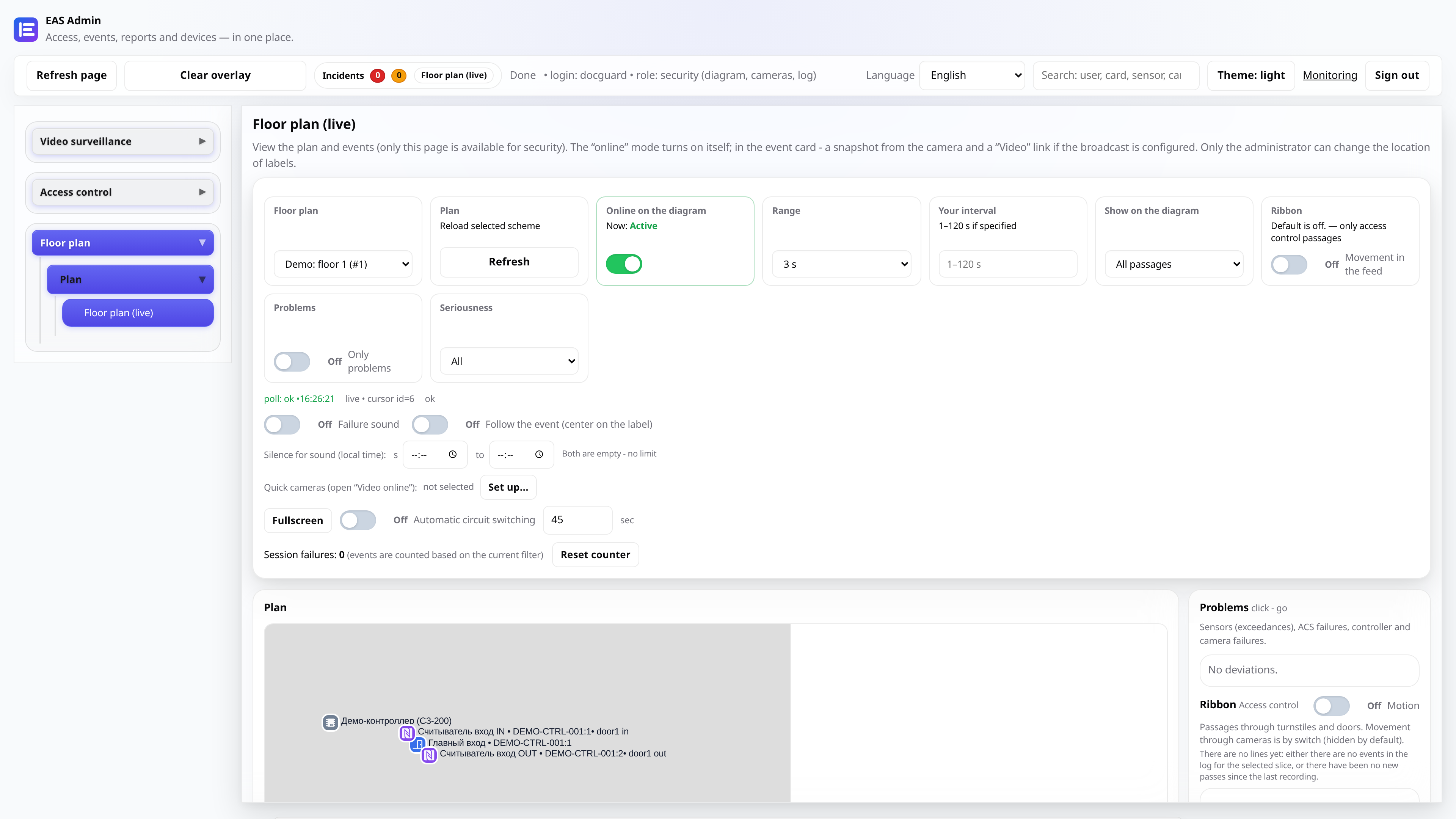
A live survey is enabled on a separate tab: the passages are highlighted with markers, and on the right is an event feed and a list of problems.
- 5
Customize sound and filters
Turn on “Sound on failure”, set quiet hours and fast cameras - this way the security post receives a signal without unnecessary noise at night.