Administrator
License and trial for 30 days
Receiving a key, activation in the admin panel, renewal through the central node.
- 1
Get your trial key
On the “Download trial” page, enter your work email. The key will be sent by email and displayed on the screen - save it before installation.
Tip: The trial provides full functionality for 30 days without a limit on access points.
- 2
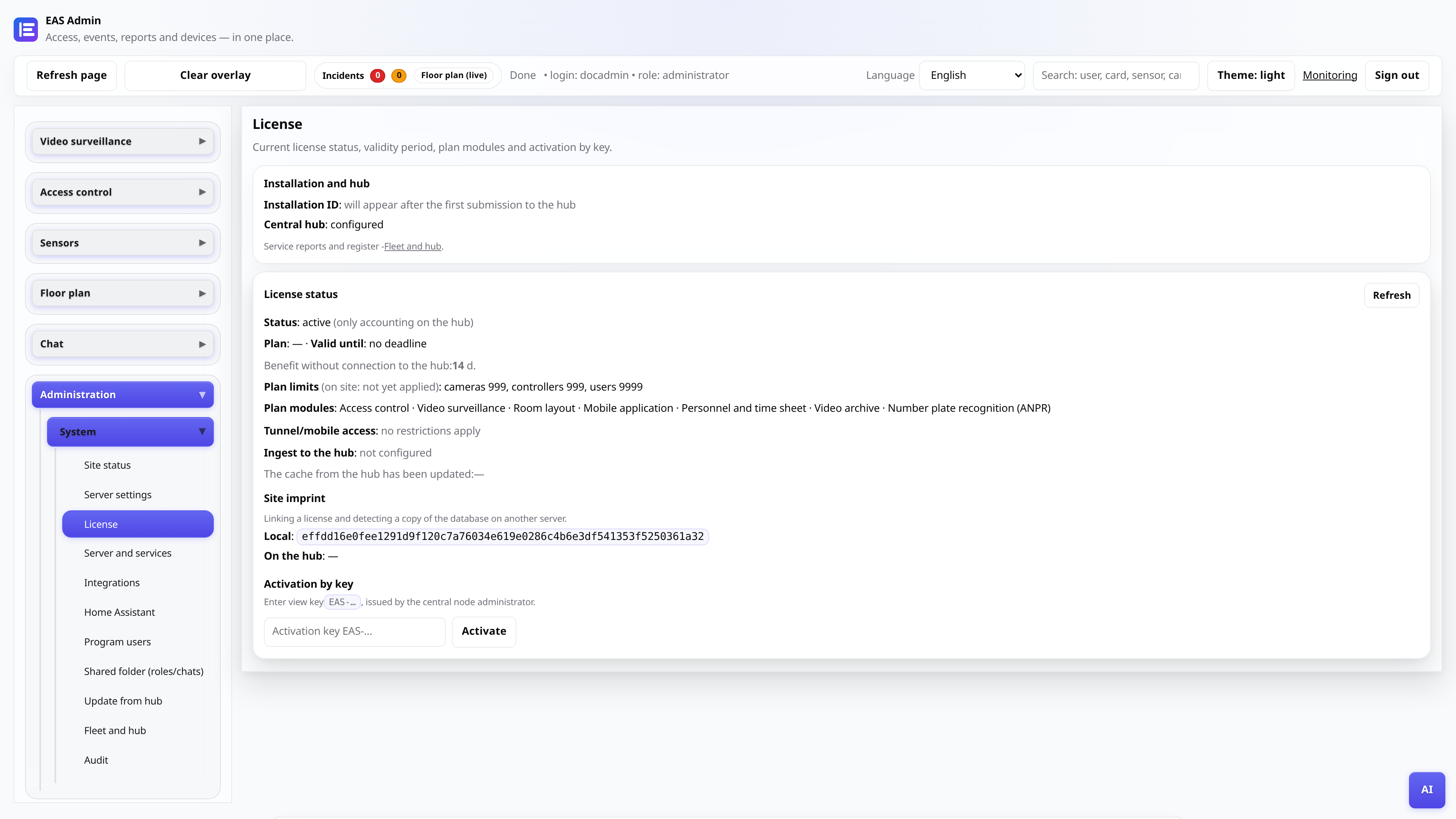
Open the "License" tab
In the EAS admin panel, select “Administration → License.” Here you can see the status, expiration date and connection to the central update node.
- 3
Enter the key and activate
Insert the key of the form EAS-... into the field and click “Activate”. If successful, the status will change to “Active” and the end date will appear.
- 4
Check connection with the update site
If the site is connected to a hub, the node address and token mode are displayed on the same tab. This is needed for hub-update and telemetry, not for daily security work.