System administrator
Updates from a central hub
EAS 1.0, patch 1.1+ (cumulative patch), changelog in the admin panel and application without data loss.
- 1
Version numbering
Installation from asceas.ru - release 1.61 (full bundle ~11 MB). Minor edits - patch 1.1 … 1.61+ (patch_files, usually hundreds of kilobytes, cumulative diff from 1.0). Major 2.0 - full installer again. The platform version is in the admin header and “Update from the hub”.
Tip: The patch does not overwrite PostgreSQL, server/data and sqlite gateway.
- 2
Open the updates tab
“Administration → Update from the hub.” The server reads https://asceas.ru/eas-hub/manifest.json and shows the available patch (for example 1.22), size and changelog.
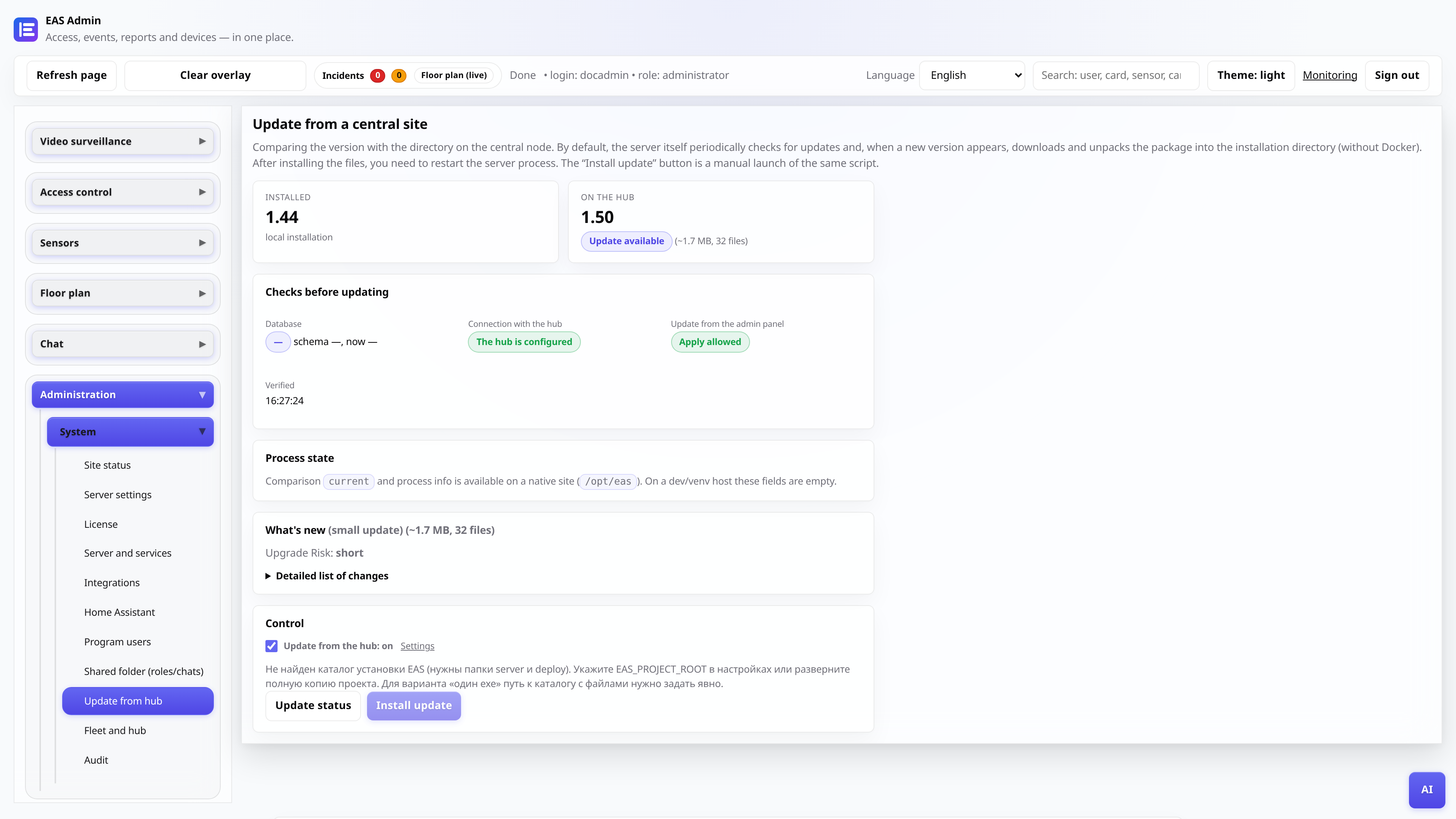
- 3
Check the changelog
The changelog block lists the changes: new tabs, UI fixes, drivers. For a patch release, bundle_kind patch_files is specified and the size is ~50 KB - this is normal, not a download error.
- 4
Apply the update
Click “Install update” (or wait for auto-check if enabled). Before a major update in production, do pg_dump. After patch, restarting the eas-server is usually enough - access control, telemetry and HA data are saved.
Tip: The site must allow hub-update (switch on the same tab) and access to asceas.ru/eas-hub.
- 5
Check after update
Make sure that the version in the header has changed (for example, 1.1), /static/admin.js returns 200, and the users/cards/telemetry counters in the database have not been reset. In case of failure, backup from /var/lib/eas/update-backup/.