Administrator, video post
Cameras and video surveillance
Camera catalog, “Video (online)” - player and grid, “Video archive” - day with scale and export.
- 1
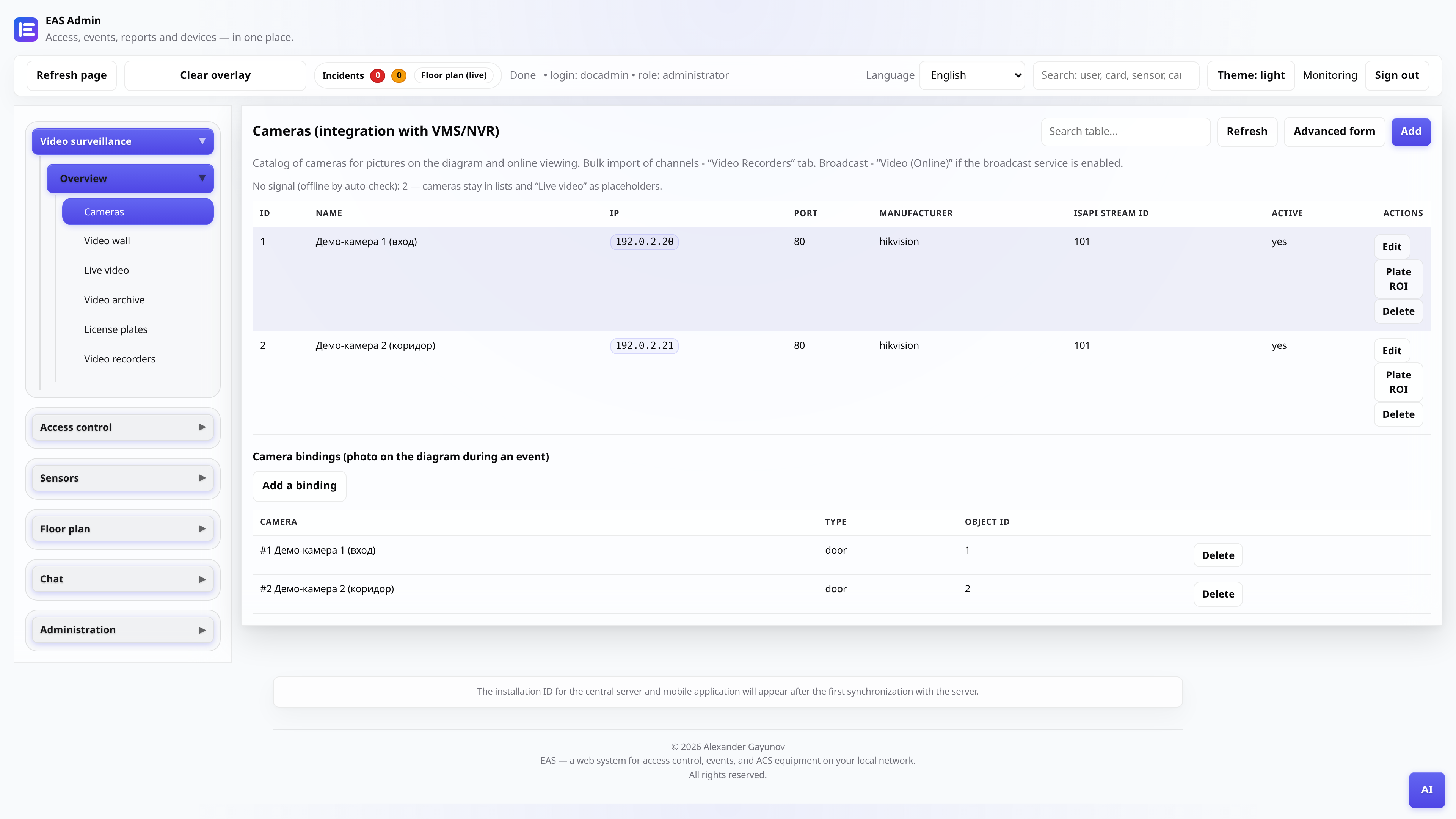
Add the camera to the catalog
“Video (cameras)” tab. Enter your name, IP, login and password. For Hikvision - a master with an RTSP template; mass import of channels - “DVRs”.
- 2
Tie the camera to the door
In the reader or door card, select the camera for the photo and archive - when you pass, EAS will save the frame and motion/access control clip.
- 3
Enable broadcast on the server
The online video service (`EAS_VIDEO_RELAY_ENABLED`) is configured by the OS administrator in `/etc/eas/eas.env`. After restarting `eas-server`, the “Video (online)” tab will show the cameras with the stream.
Tip: In the header of the tab there is an indicator of the server load (load, broadcast queue). If overloaded, the first frame can take up to 20 s - this is the cold start norm.
- 4
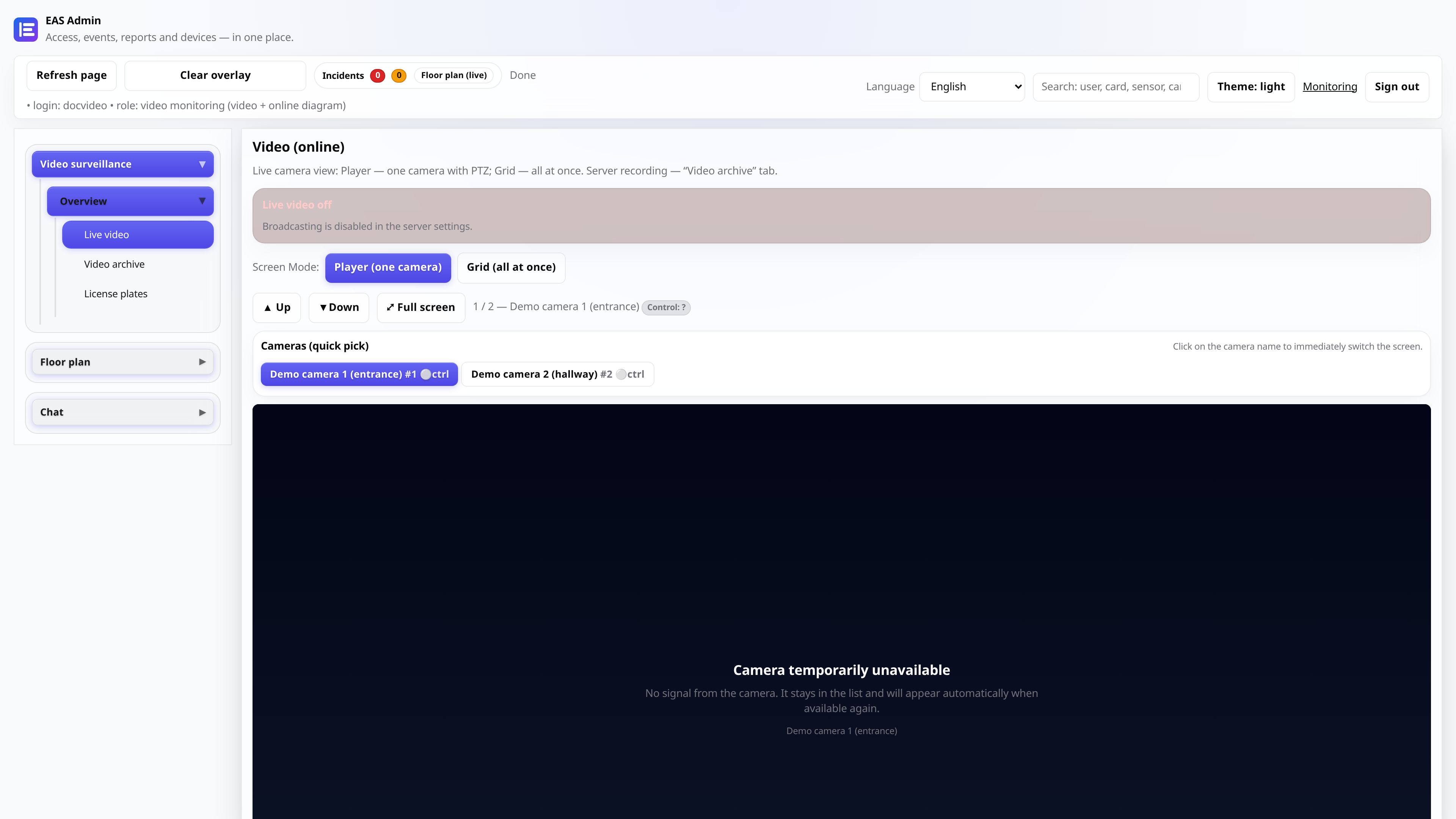
“Video (online)” - player and grid
Player mode - single camera, PTZ (if supported), full screen viewing. Grid mode—images of all cameras (JPEG), without load on each HLS stream. A mesh is convenient for a security post; for analysis - player. TV Wall on TV is a separate APK (see /docs/tvwall/).
- 5
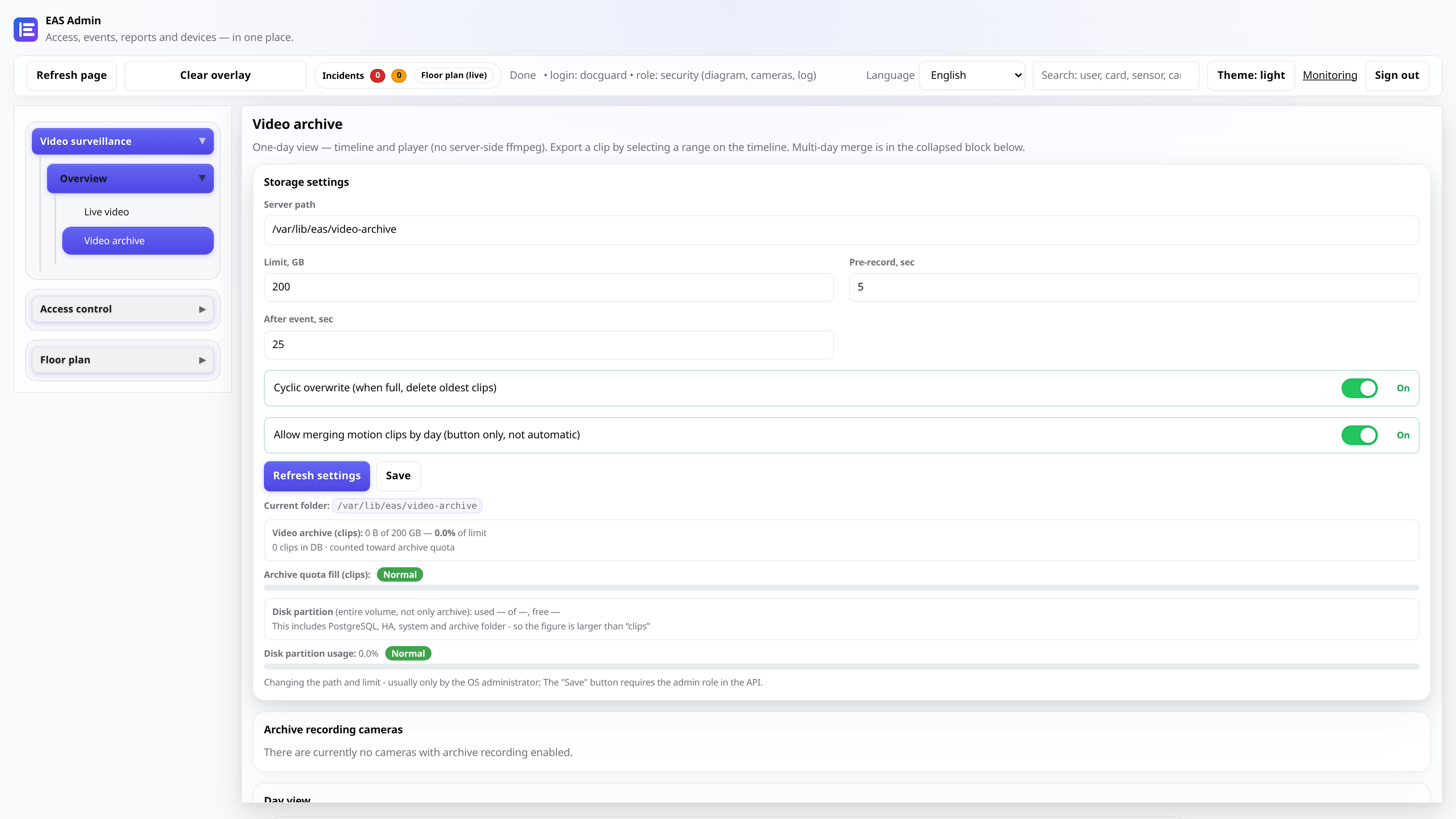
“Video archive” – viewing one day
Basic scenario: select camera and day → “Load day”. A monthly calendar, a time scale and a built-in player will appear without ffmpeg on the server. Filter: traffic, access control system, day, schedule. The ◀/▶ buttons switch the day; hot keys `[` `]` - adjacent clip, `Esc` - reset selection.
- 6
Fragment export and merging
On the day scale: highlight the interval or press ▶ on the clip → “Download mp4” (export range). Heavy gluing of several days and motion in a day - in the collapsed block “Period of several days / ffmpeg gluing” (limit ~60 clips / ~2 hours). For a normal shift, viewing the day is sufficient.
Tip: Storage settings (path, quota, cyclic overwrite) - in the top card of the same tab.